

Chatbots and artificial intelligence (AI) are often associated, sometimes wrongly. Yet combining them can significantly improve customer service. In an omnichannel context, companies need to optimize their resources to meet consumer expectations.
Pairing AI with a chatbot ensures a seamless customer experience, from pre-sales to after-sales, while increasing productivity. However, avoid relying solely on ChatGPT for customer service, as improper use can compromise the quality of your responses.
Benefits of an AI-powered chatbot on Shopify:
- Automated responses: A chatbot can automatically answer frequently asked questions, reducing your teams' workload and giving customers quick answers.
- Round-the-clock availability: A chatbot is available even outside business hours, ensuring continuous customer service and allowing customers to get help at any time, including evenings and weekends.
- Personalized recommendations: By getting to know the shopper, AI can suggest products tailored to their preferences, improving the shopping experience.
- Unified multichannel experience: Connect your different communication channels to deliver a consistent, centralized customer experience. This makes interactions easier to manage and improves customer satisfaction.
- Multilingual support: A multilingual chatbot adapts to the needs of your international customers, extending the reach of your customer service and improving overall satisfaction.
Installing a chatbot on your Shopify store with Crisp
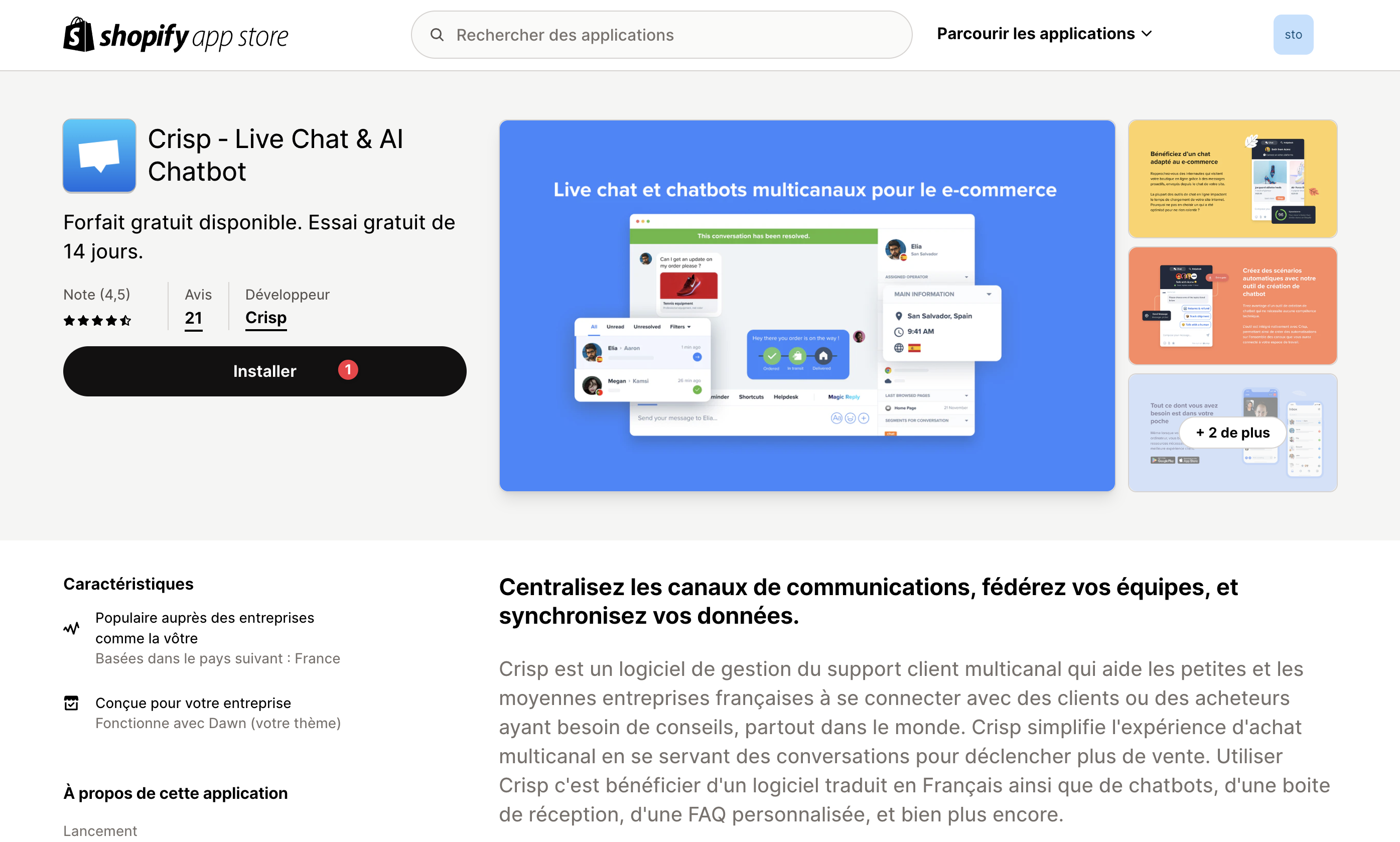
Step 1: Go to the Shopify App Store and search for "Crisp".
Step 2: Click "Install" then "Continue" to link Crisp to your Shopify store.
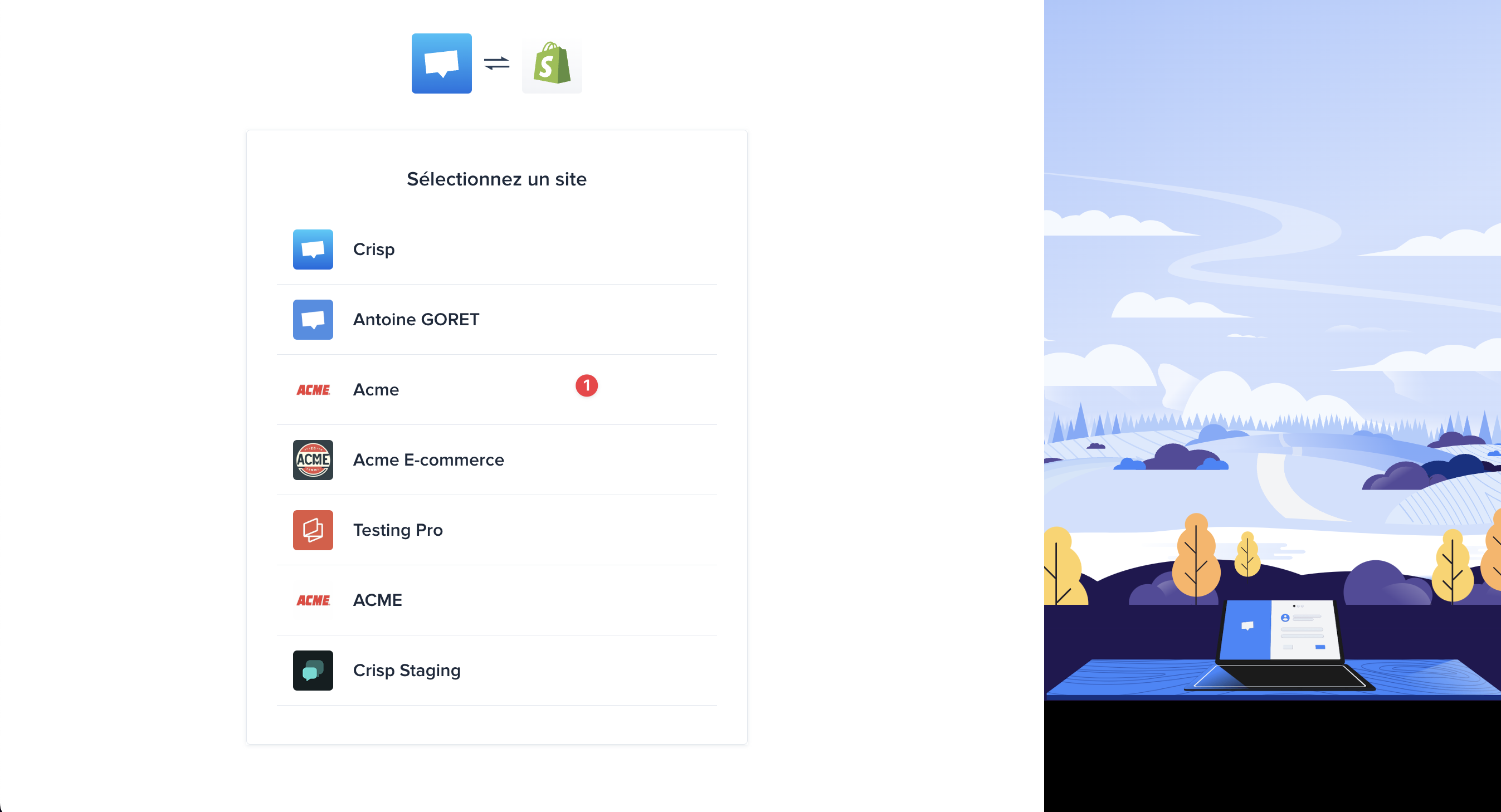
Step 3: Choose the workspace to link with Shopify.
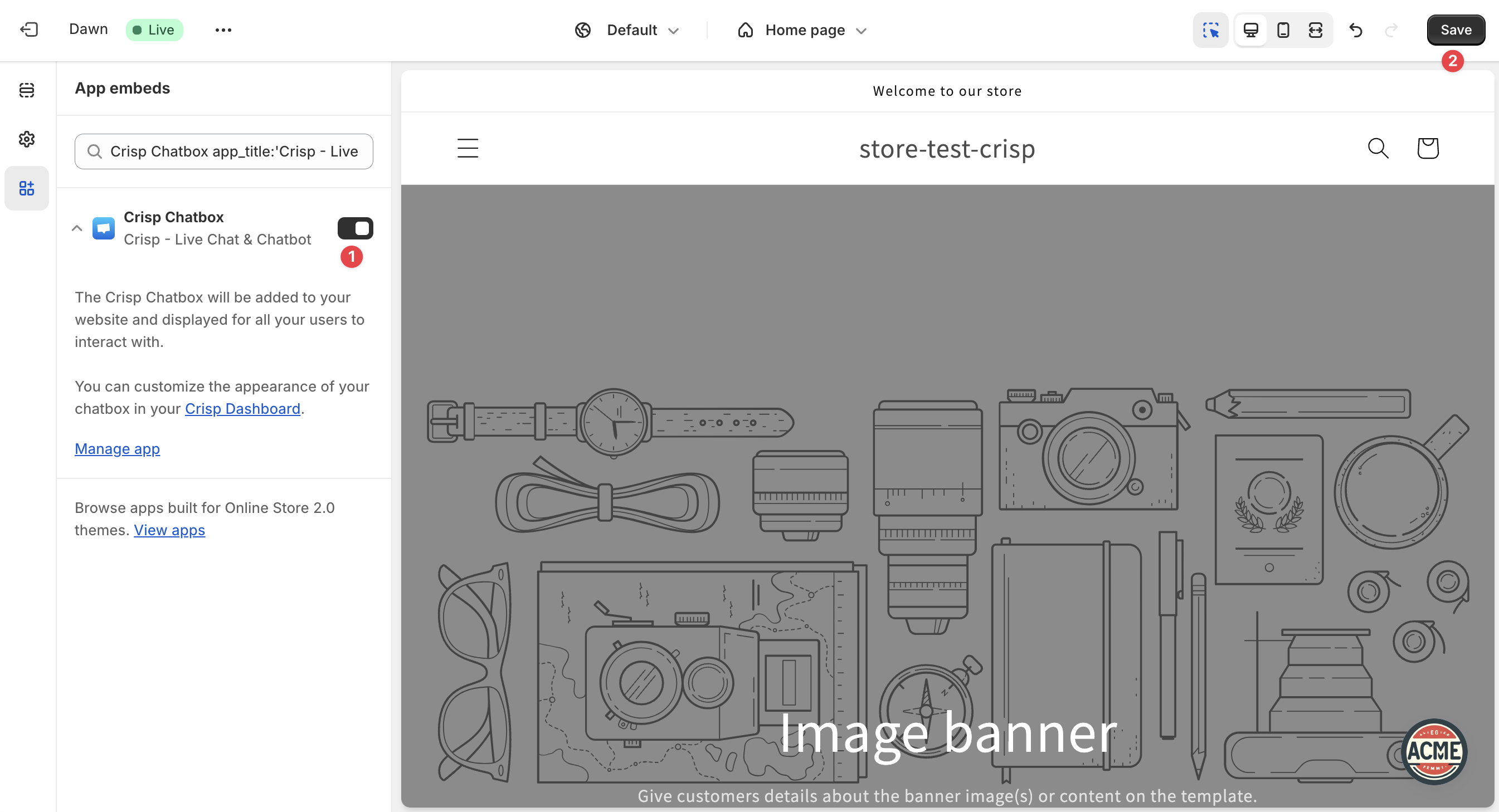
Step 4: Disable the Crisp widget to prevent it from appearing immediately on your store.
Step 5: Once configured, you can start training the AI from the "automations" section.
Configuring the chatbot's behavior
Step 1: Start training the AI by setting up the training sources (website, conversation history, private data, help center).
.png)
Step 2: Create the chatbot's behavioral scenario by defining the communication channels and the AI's actions.
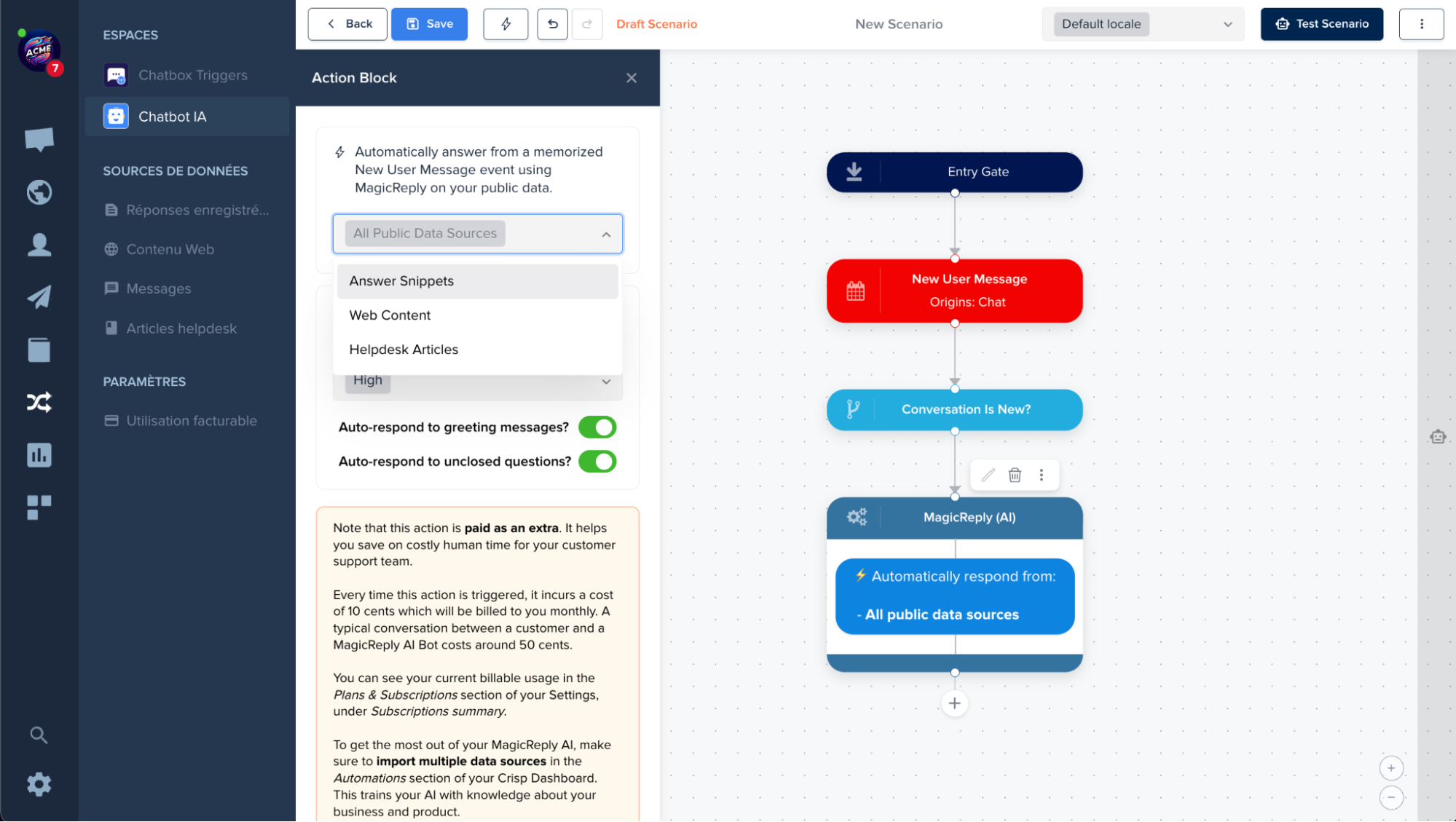
Step 3: Save and publish the scenario.
Step 4: Enable the Crisp widget in the Shopify admin to launch the chatbot on your site.
Our teams can help you integrate, configure, and monitor the performance of your Crisp chatbot on Shopify. By leveraging our expertise, you can deliver an optimal, personalized customer experience.
Trust our experience to take full advantage of AI and chatbots on your Shopify store.